MCP with a Local Model
You can connect Throughline to an AI model that runs entirely on your own computer. Nothing goes to an AI provider, there’s no subscription and no API key, and it works offline.
The connection is the same MCP connection that Claude Desktop uses. You need an app that runs the model and speaks MCP. LM Studio does both. Ollama runs the model, and a small extra app adds MCP.
What to expect
Section titled “What to expect”Local models are smaller than Claude, Gemini or GPT, and it shows.
- They make more mistakes with tools. Throughline’s tools carry the full rules of its story model, and a small model can misread them. Start with questions about your story before you let it edit. Every batch of changes can be undone, and if one edit in a batch fails, none of them land.
- Pick a model that supports tool calling. A model without it answers in plain text and never touches your project.
- Give it a large context window. The tool rules alone are long, and a feature-length project is longer. Set the context length to at least 32,000 tokens, and more if your computer can handle it. If the model forgets things or stops mid-answer, the context is too short.
- It needs a capable computer. A Mac with Apple silicon and plenty of memory, or a PC with a recent graphics card, runs mid-size models well. On smaller machines, answers can be slow.
Before you start
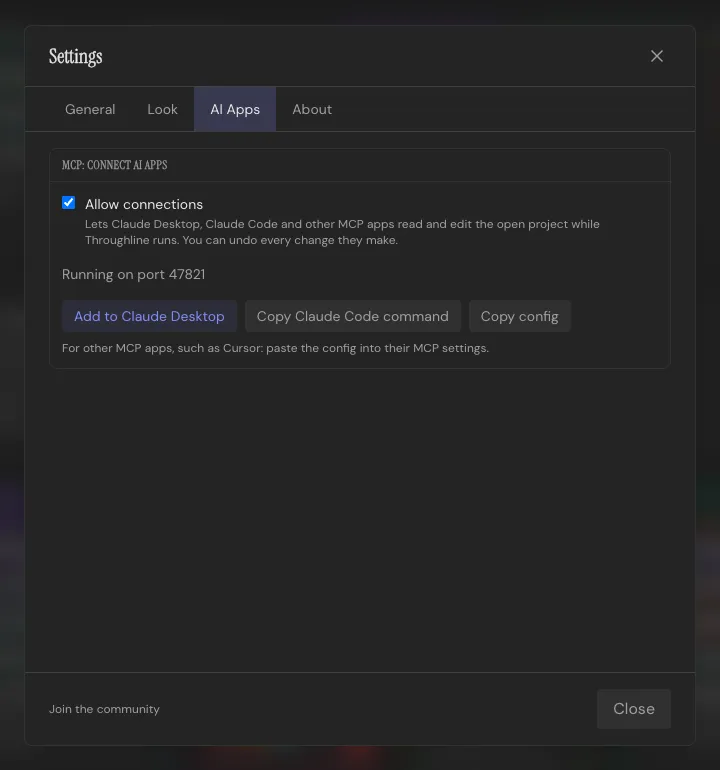
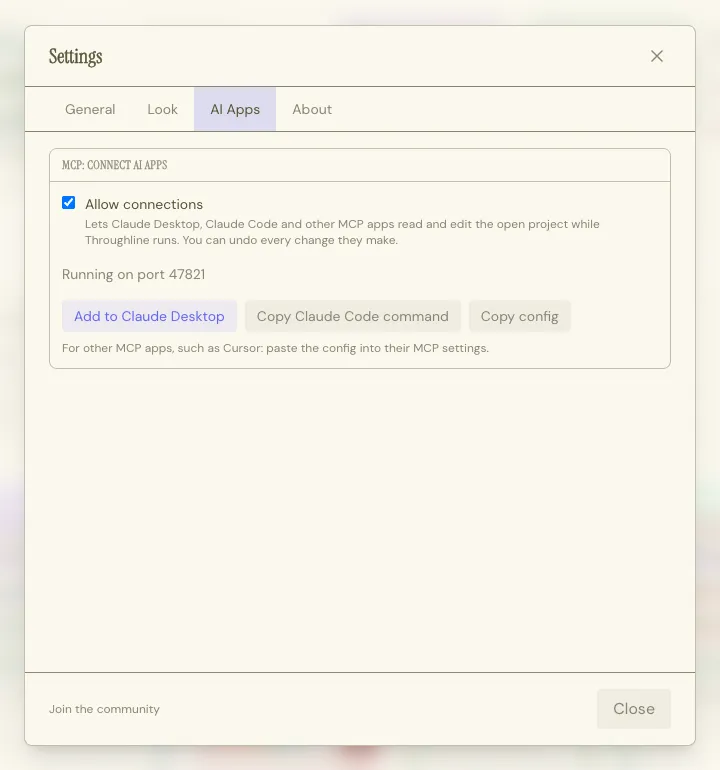
Section titled “Before you start”- Turn on Settings → AI Apps → MCP: Connect AI Apps → Allow connections in Throughline.
- Keep Throughline running with your project open.
- On a Mac, open Throughline from your Applications folder.
LM Studio
Section titled “LM Studio”LM Studio is a free desktop app for downloading and running local models. It supports MCP from version 0.3.17.
- Install LM Studio and download a model that supports tool calling.
- Load the model and set its Context Length to at least 32,000 tokens.
- In Throughline, under Settings → AI Apps, click Copy config.
- In LM Studio, open the Program tab in the right-hand sidebar, then choose Install → Edit mcp.json.
- Paste the
Throughlineentry intomcpServersand save. - Start a new chat. Throughline appears among LM Studio’s tools.
LM Studio asks before the model runs a tool. Approve each call, or allow it for the rest of the chat.
Ollama
Section titled “Ollama”Ollama runs models from the command line but doesn’t speak MCP itself. Add ollmcp, a free terminal chat app that connects Ollama models to MCP servers.
-
Install Ollama and pull a model that supports tool calling.
-
Install ollmcp:
Terminal window pip install --upgrade ollmcp -
In Throughline, under Settings → AI Apps, click Copy config. Save the whole config as a file, for example
throughline-mcp.jsonin your home folder. -
Start ollmcp with that file and your model:
Terminal window ollmcp --servers-json ~/throughline-mcp.json --model your-model-name -
Type
/mcand setnum_ctxto at least 32,000.
ollmcp asks before each tool call. Answer y to run it, or s to allow the rest of that request.
If you already connected Claude Desktop, ollmcp --claude-desktop reuses its Throughline entry, and you can skip step 3.
Privacy
Section titled “Privacy”With a local model, your project stays on your computer. Throughline sends it only to the app on the same machine, and that app sends it only to the model running beside it.
Check that your app is really running the model locally. Some apps can also use cloud models, and those send what they read to their provider.
Other options
Section titled “Other options”- Prefer a cloud model on your own key? See MCP with an API Key.
- Other local apps: any app that runs a local model and speaks MCP can connect. Click Copy config in Throughline and add the
Throughlineentry wherever the app keeps its MCP servers.